
Rule-Based
Buy, Sell or Hold Guidance
✓ Crypto & stock portfolio management
✓ Track performance, cash reserves and risk settings
Get C.I.M. Grandfather Price
$19.97/month or $199.97 Lifetime Access
Get C.I.M. at Wholesale Price
3 Licenses at $29.97/month or $299.97 Lifetime Access
Get C.I.M. Grandfather Price
$19.97/month or $199.97 Lifetime Access
Get C.I.M. at Wholesale Price
3 Licenses at $29.97/month or $299.97 Lifetime Access
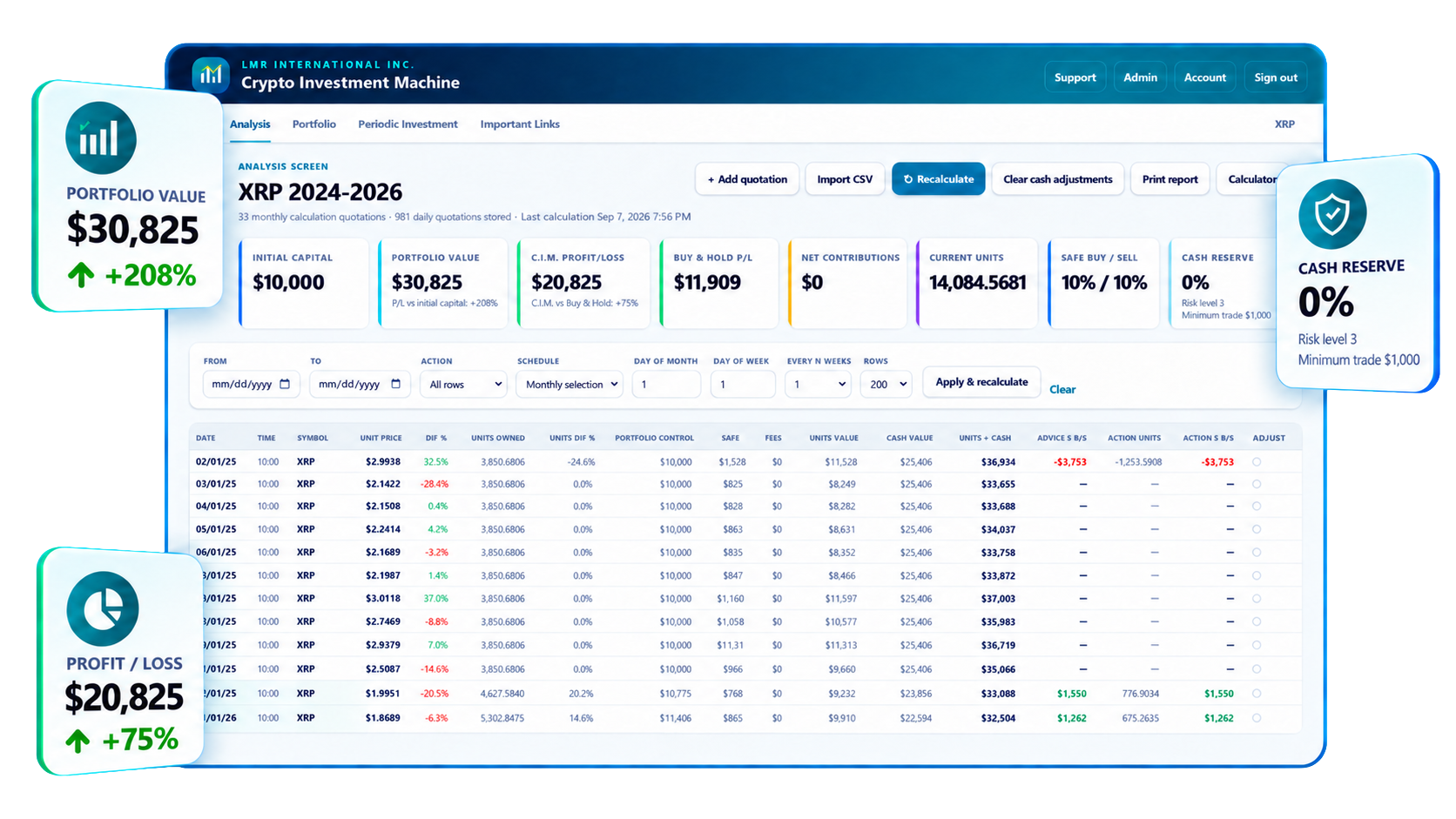
If you don’t know when to trade and how much to trade, this is for you.
RULE-BASED ANALYSIS AND PORTFOLIO MANAGEMENT
What is Crypto & Stock Investment Machine?
Also, you can use your Crypto & Stock Investment Machine as a Crypto & Stock Portfolio Manager to control all your Buy and Sell orders and compare your results (Profit/Loss) against the CIM System.
Compare your results with the CIM strategy.
Built for disciplined investors
What is Crypto & Stock Investment Machine?
That transparency makes it easier to understand why C.I.M. identifies a buy, sell, or hold condition, review the historical decision trail, and refine your settings over time.
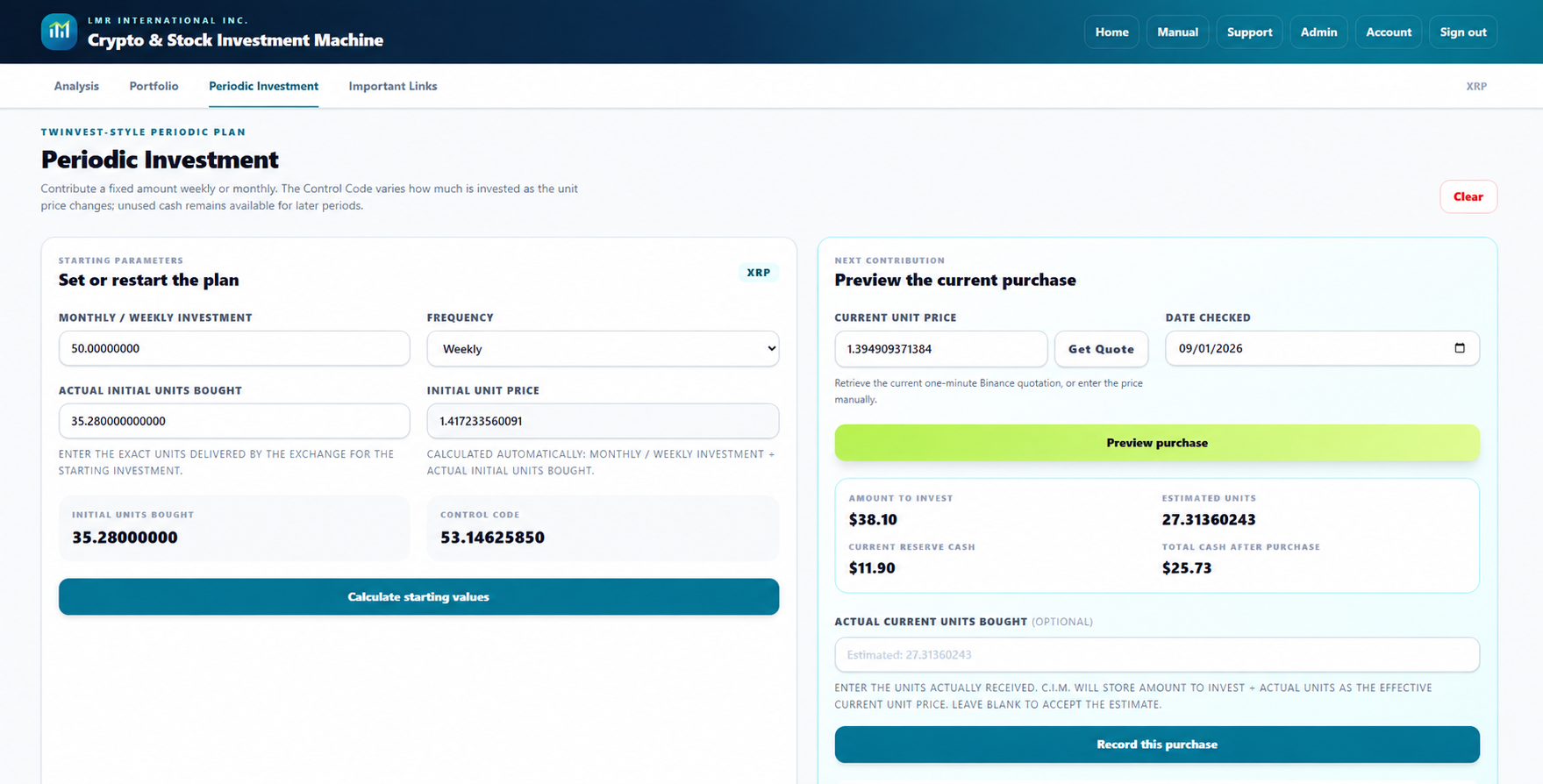
Portfolio Control
SAFE Thresholds
Cash-Aware Actions
Flexible Schedules
Periodic Investment
Reports and Records
BOne workspace, MULTIPLE PERSPECTIVES
See the market through a disciplined, repeatable process.
✓ Account-based access through a secure, modern web browser
✓ Multiple portfolios with independent risk, fee, and strategy settings
✓ Daily, weekly, monthly, or custom every-N-weeks calculations
✓ CSV import, quick calculator, reports, and portfolio duplication
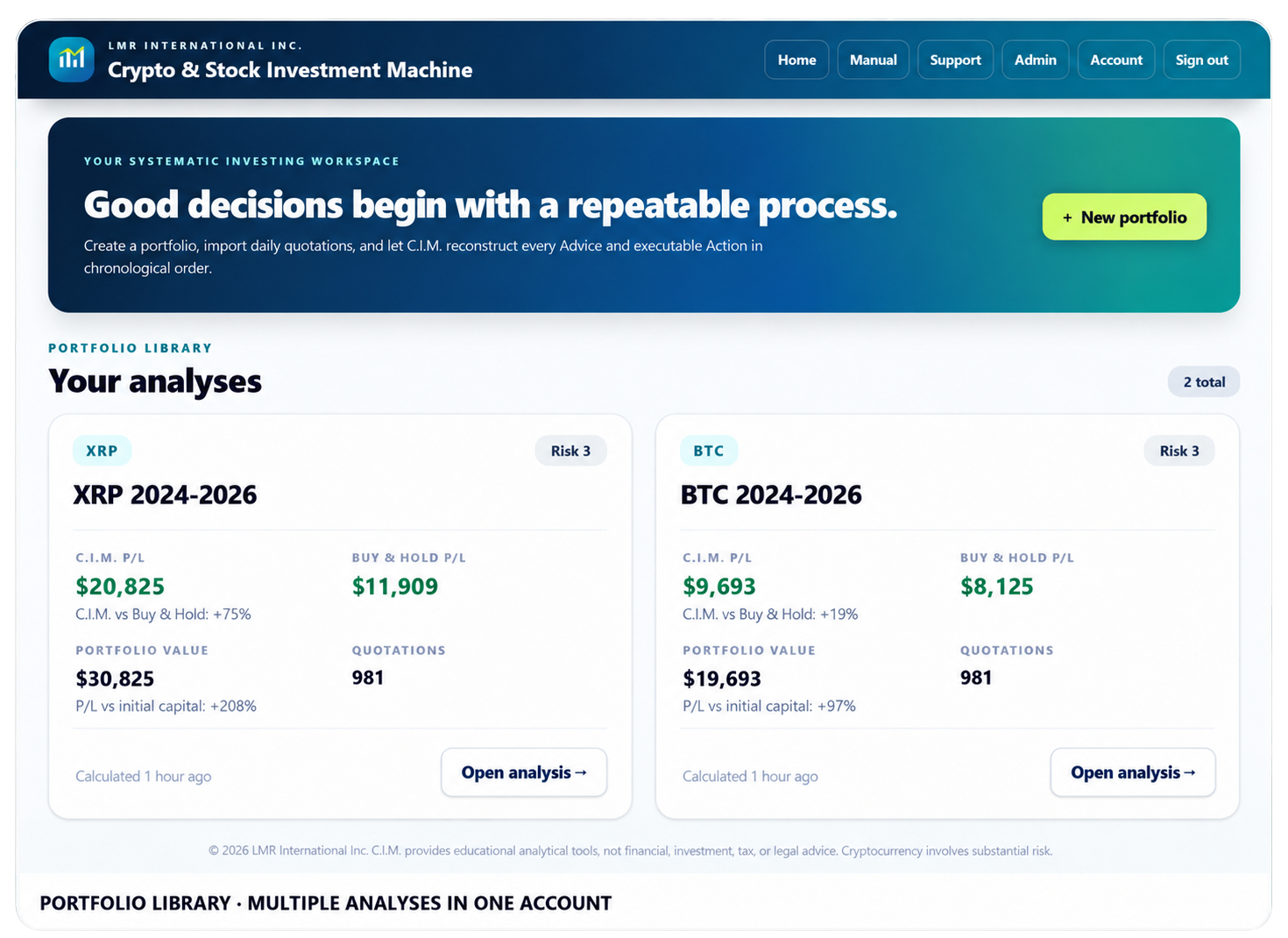
HISTORICAL PERFORMANCE COMPARISON
Two approaches. One historical timeline. A clearer comparison.
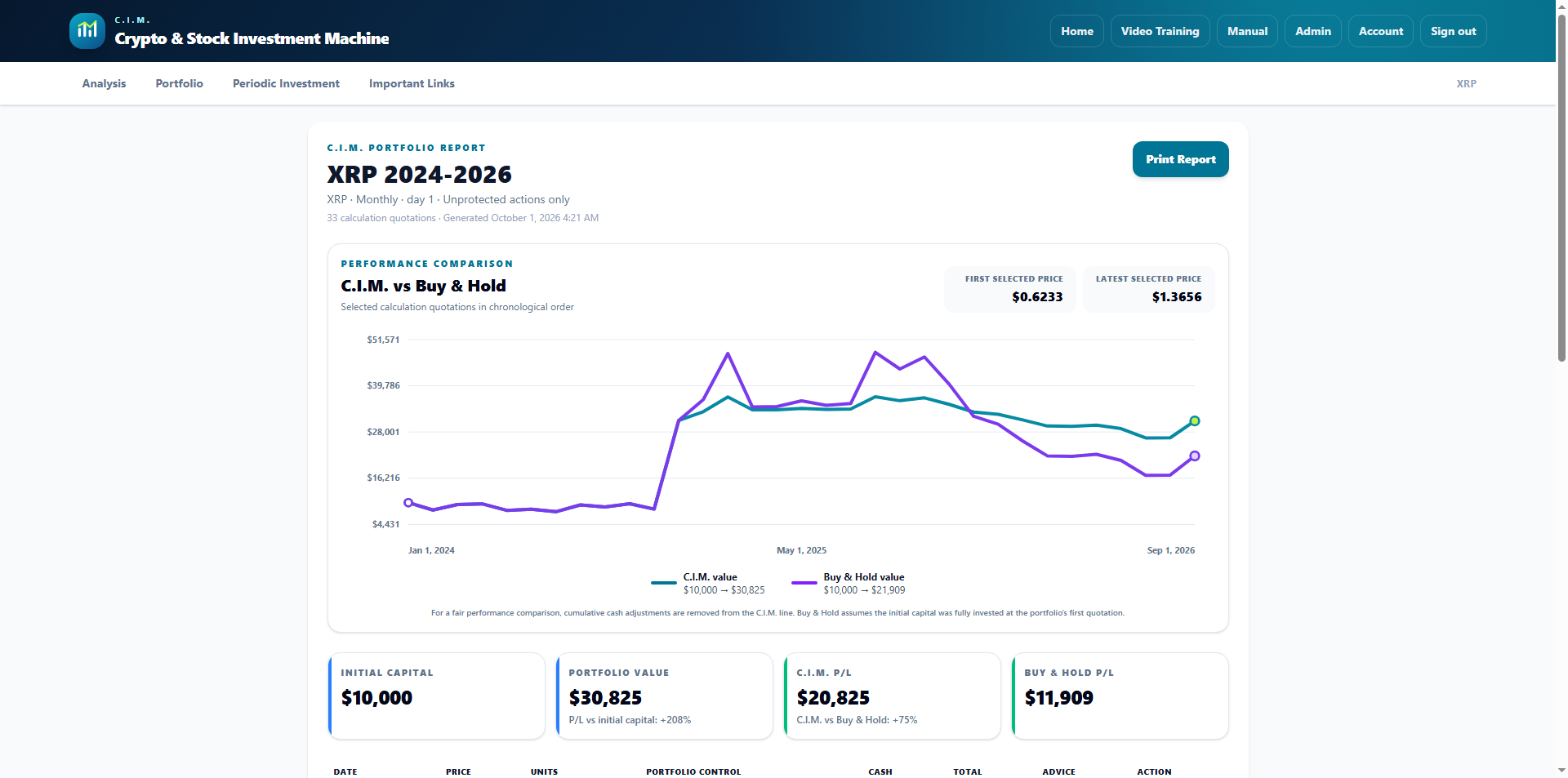
Four deliberate steps
From raw quotations to a decision you understand.
Build
Feed
Flexible Schedules
Calculate
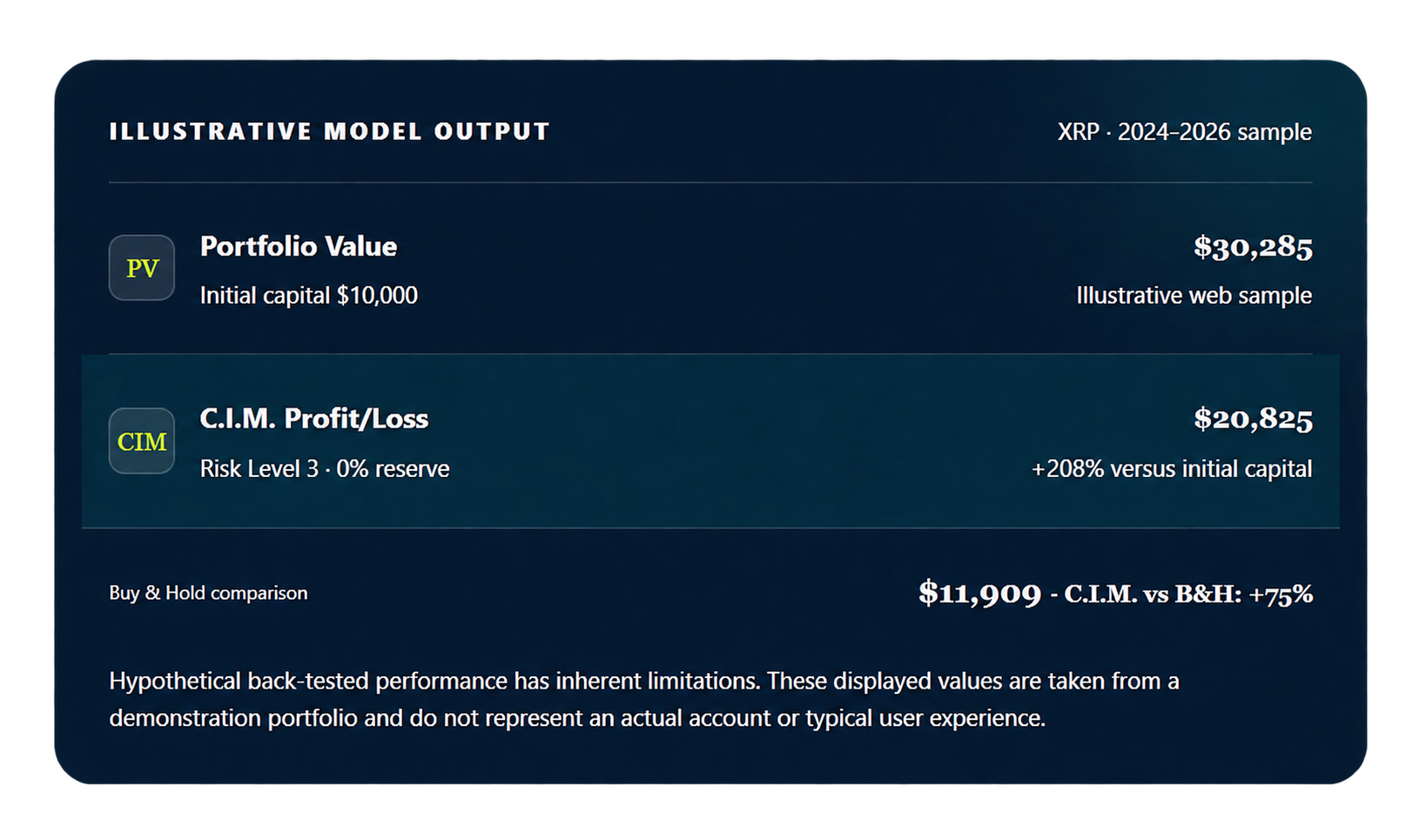
Historical simulation example
Compare outcomes clearly—even when the model underperforms.
Read this correctly
Different dates, quotations, settings, fees, taxes, spreads, liquidity, or execution can materially change the outcome—including producing losses or underperforming buy and hold.
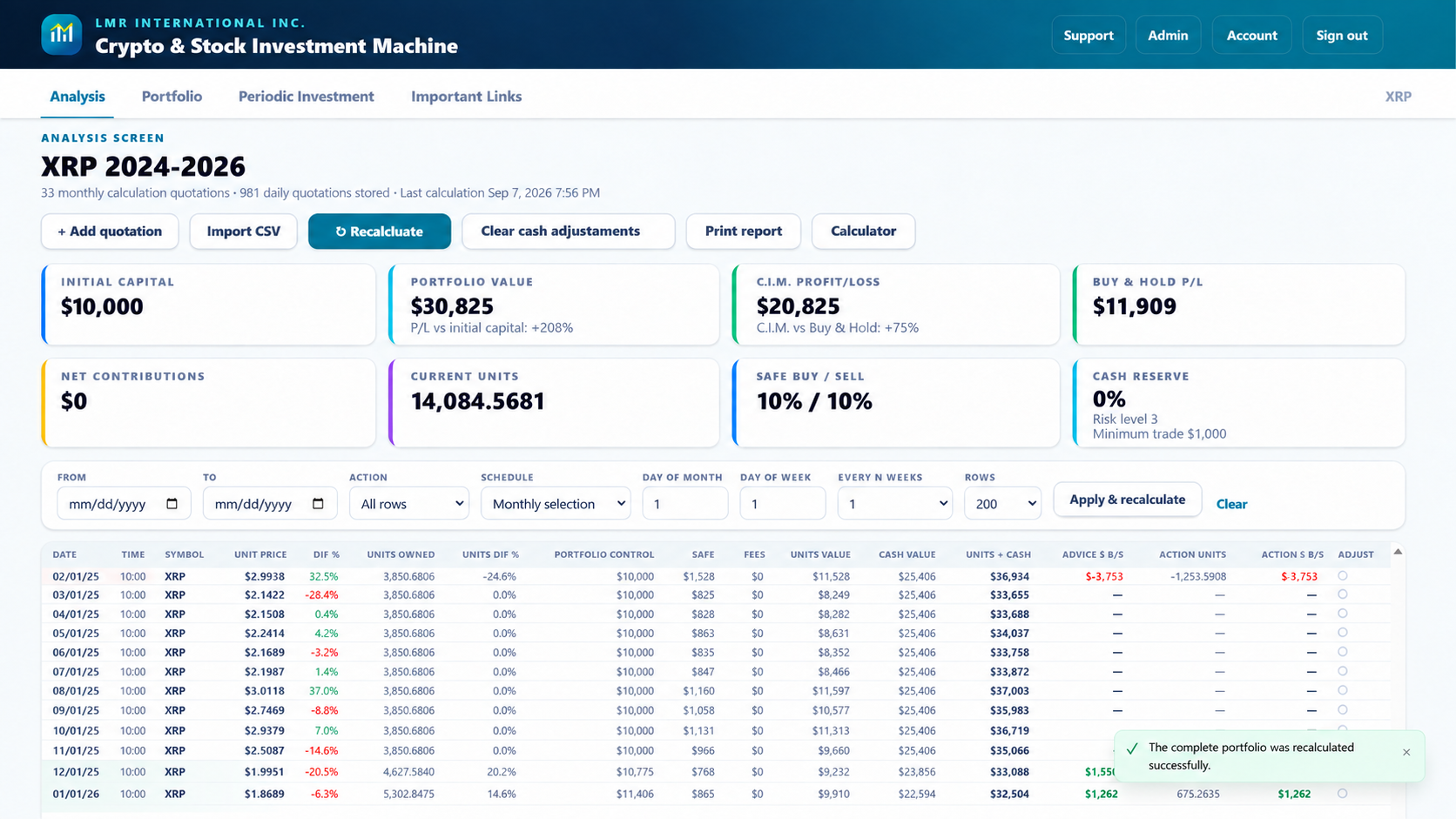
More than an analysis table
Practical tools throughout the online workspace.
Cash Adjustments
Separate external deposits and withdrawals from actual investment performance.
Record cash added to or removed from a portfolio on a specific quotation row. C.I.M. tracks these adjustments through recalculation so Net Contributions are separated from C.I.M. profit or loss, helping you measure performance more accurately.
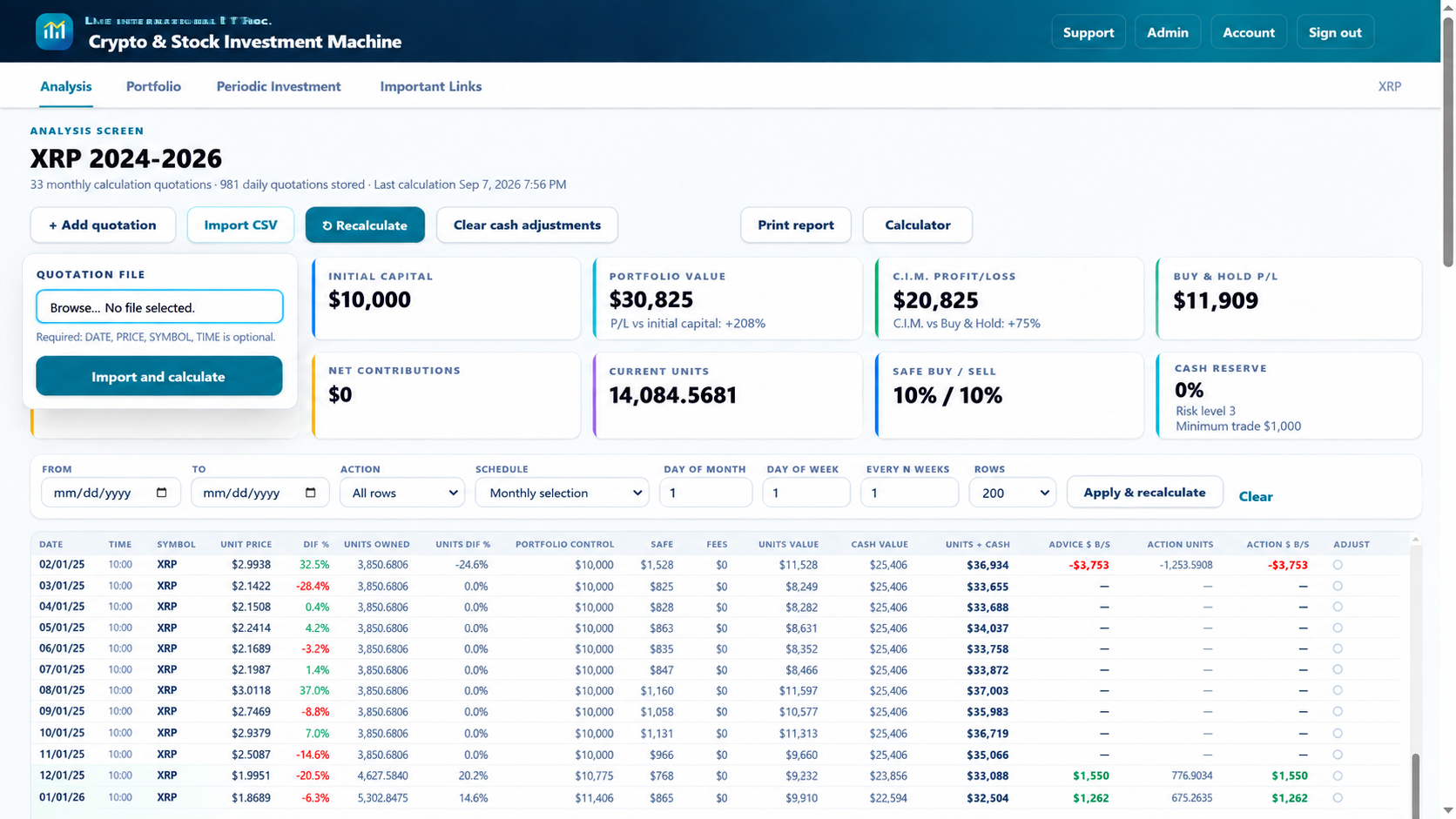
CSV Quotation Import
Load historical market data and rebuild your analysis chronologically.
Import Date, Price, Symbol, and optional Time data from a CSV file. C.I.M. validates the quotation records, organizes them in sequence, and recalculates the portfolio using the imported price history.
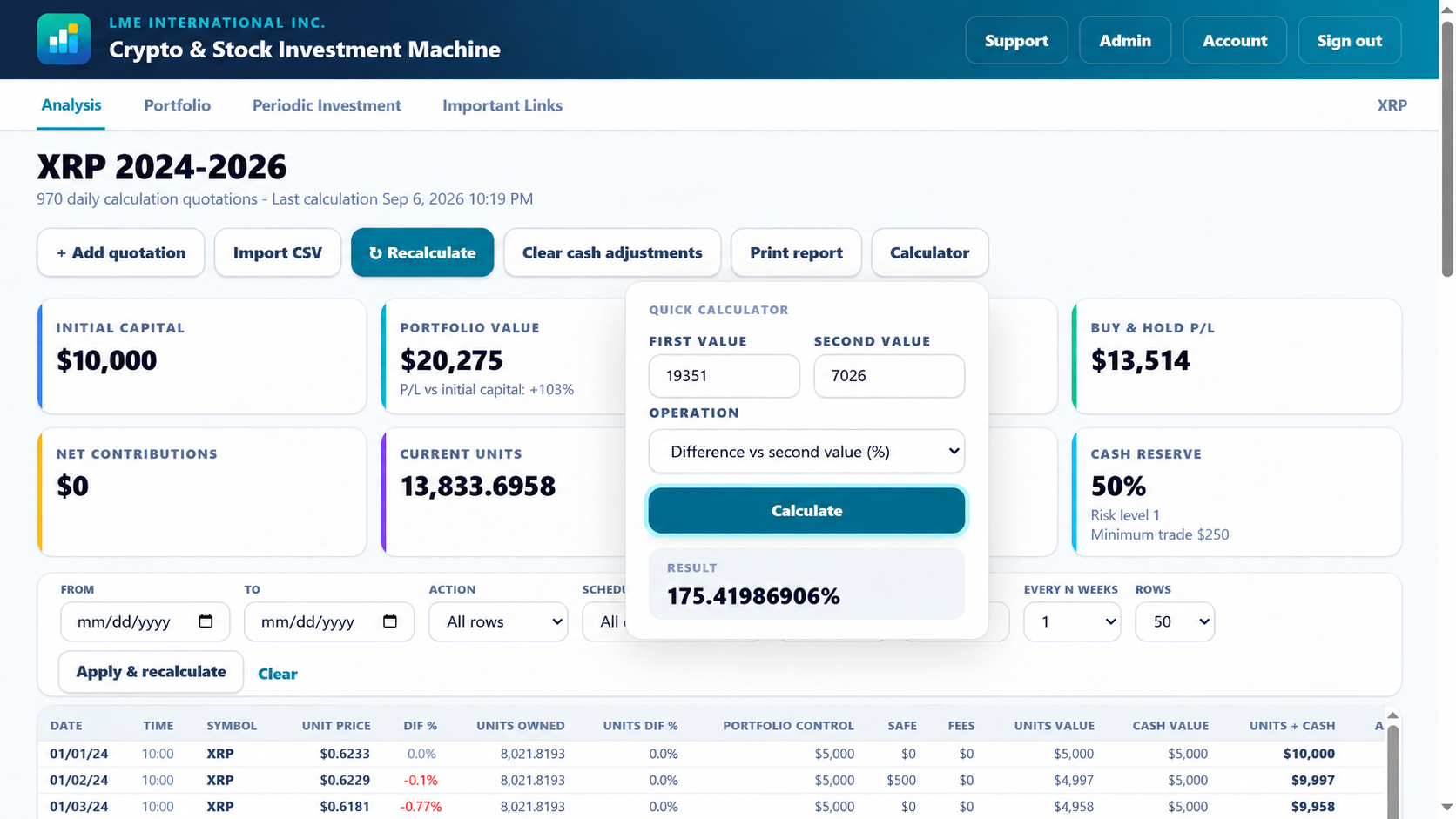
Quick Calculator
Compare values and percentages without leaving your analysis workspace. The built-in calculator helps compare portfolio values, differences, and percentage changes while reviewing your analysis. It does not modify portfolio data or affect calculations.
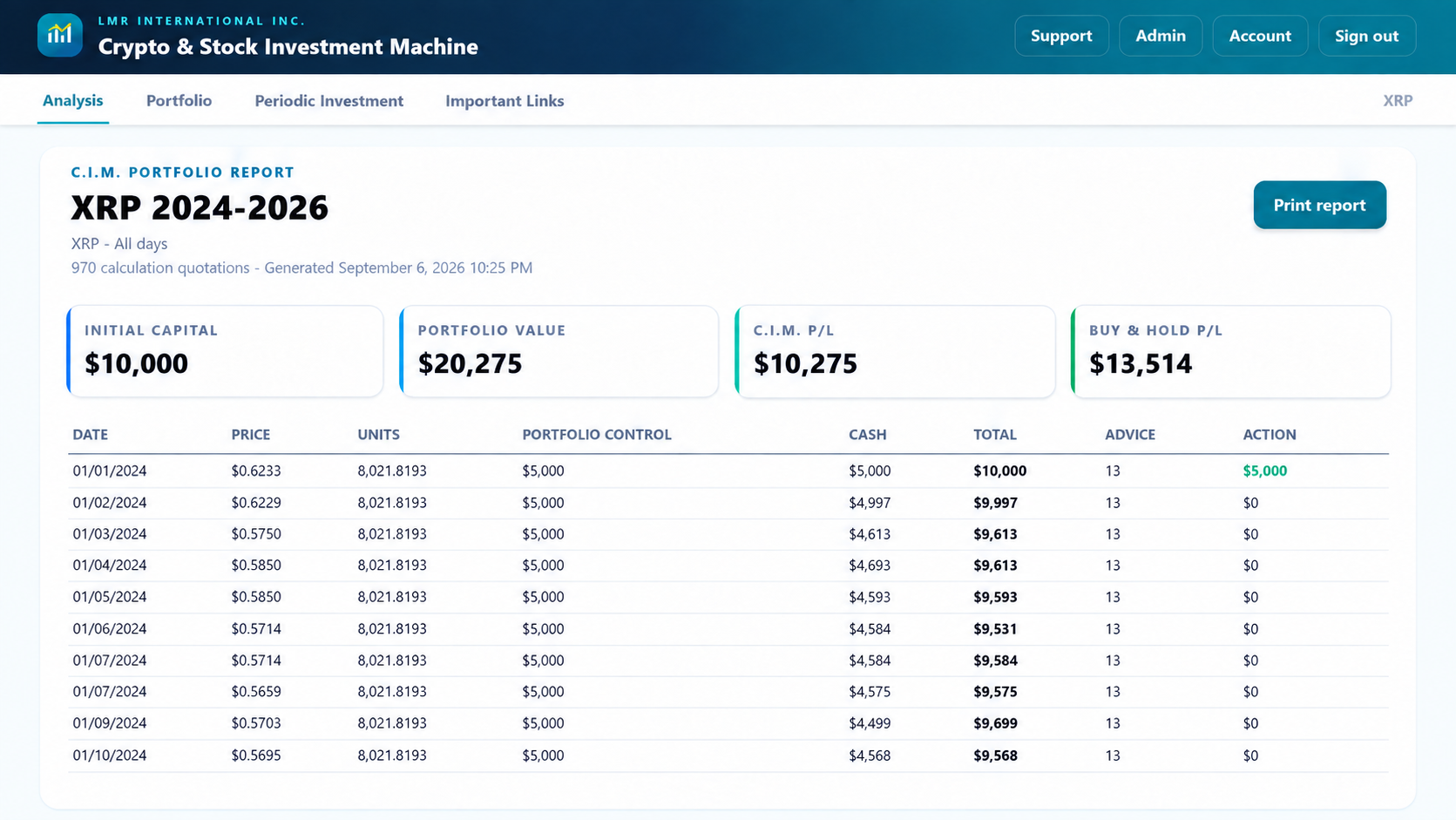
Portfolio Reports
Generate a clean, printable record of your analysis.
Create reports containing portfolio details, performance metrics, calculation results, and historical records. Reports provide a convenient way to review or save your analysis outside the application.
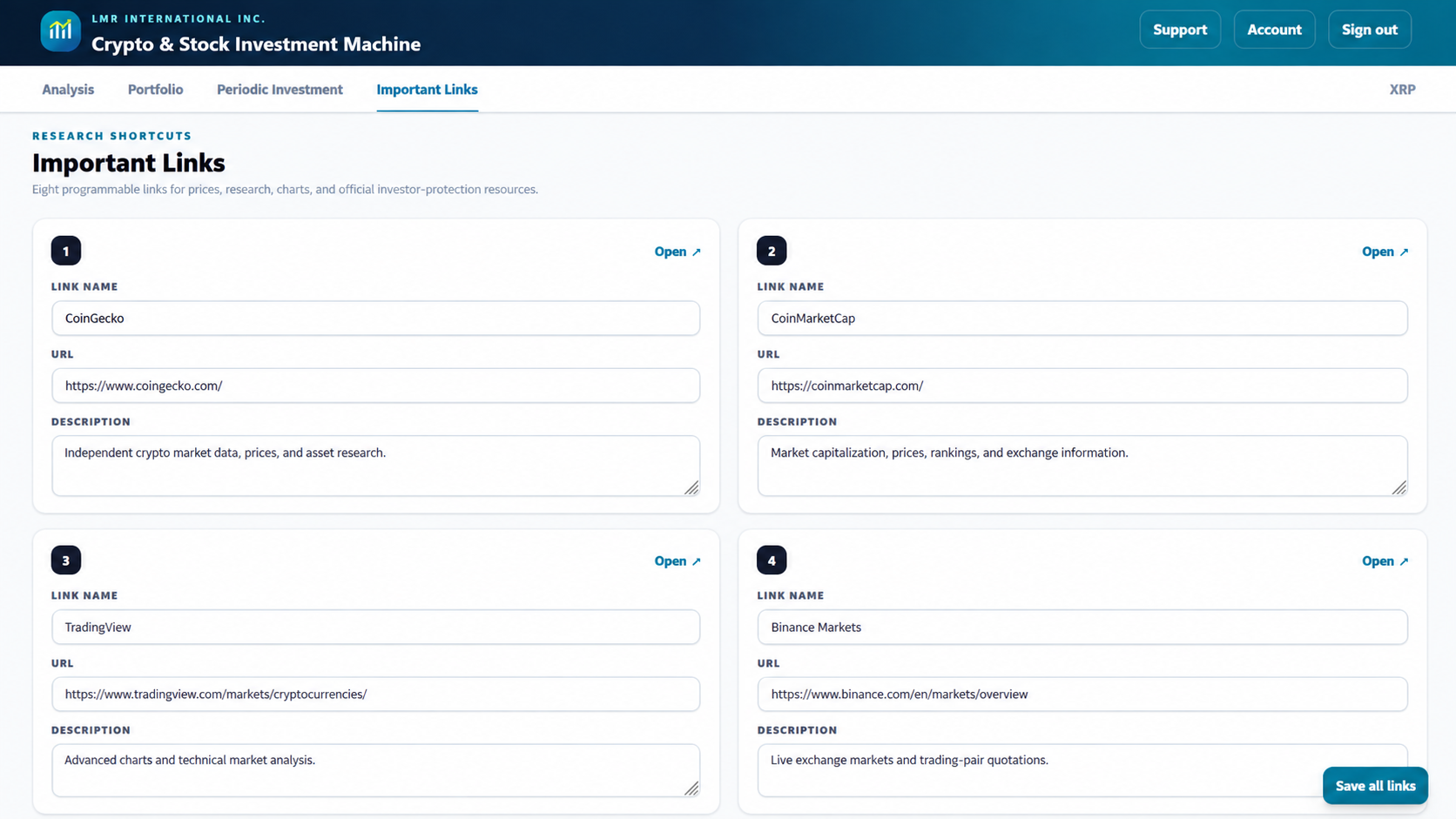
Research Workspace
Keep important market resources connected to each portfolio.
Store configurable research links for market data, charts, exchanges, historical information, and other resources. Each portfolio can maintain its own set of reference links.
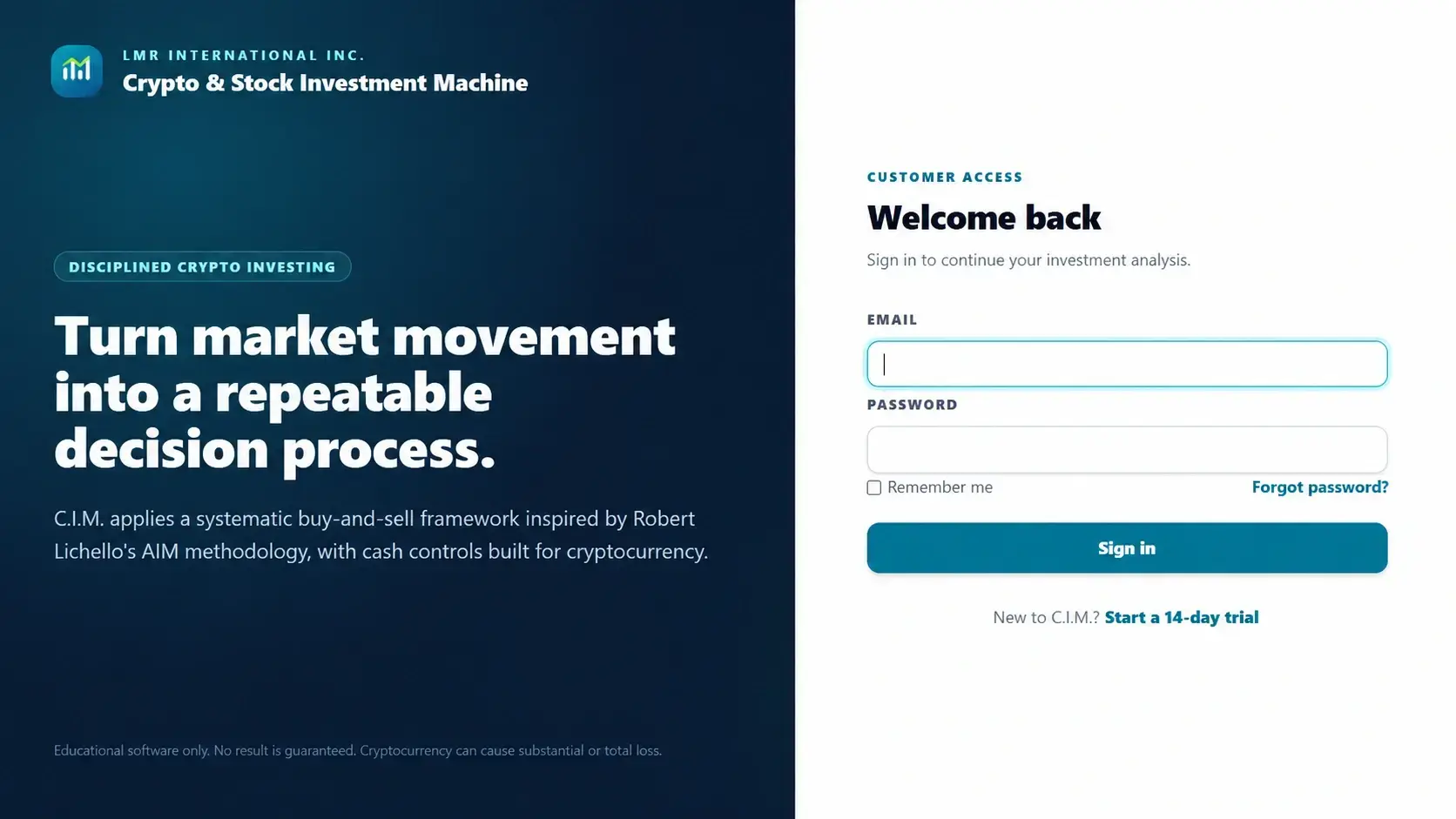
Customer Access
Manage secure account access through subscriptions and registration controls.
C.I.M. provides customer accounts, subscription status tracking, and browser/device registration controls for the online service. Access management allows owners to control customer availability while keeping portfolio data separated by account.
Limited-time subscription offer
Build a better process for less than the cost of one avoidable mistake.
✓ Account-based access with subscription controls
✓ Illustrated Web User Manual
✓ Multiple portfolios, quote import, reports, and periodic investing

Frequently Asked Questions
Does C.I.M. guarantee profitable trades?
No. C.I.M. is analytical decision-support software, not a guarantee of investment results. Cryptocurrency assets can lose substantial value, and no formula, setting, historical simulation, or investment schedule can guarantee profits or eliminate risk.
Do I need to install the application?
No. C.I.M. does not require desktop installation. It is accessed through a modern web browser using an eligible customer account and active subscription.
Does C.I.M. place trades for me?
No. C.I.M. does not connect to exchanges, custody assets, or submit real-world orders. It calculates Advice and records Action based on your selected settings, available resources, and portfolio conditions. Every investment decision and execution remains under your control.
What is the difference between Advice and Action?
Advice is the calculated buy or sell amount generated after applying your selected controls and portfolio settings. Action represents the portion that can realistically be executed after considering available cash, available units, and other practical limitations.
Can I test more than one risk configuration?
Yes. C.I.M. allows you to compare different portfolio configurations using variables such as SAFE percentages, cash reserves, minimum trade amounts, date ranges, fees, and starting assumptions. Historical results can help you study different scenarios, but a favorable past configuration does not predict future performance.
Can I import quotations?
Yes. C.I.M. supports quotation history imports using Date, Price, Symbol, and optional Time fields. Imported data is used for chronological analysis and should be reviewed for accuracy, duplicate entries, date order, time consistency, and source reliability.
Does C.I.M. collect my exchange password or API keys?
No. C.I.M. does not require or collect exchange passwords, wallet private keys, seed phrases, or exchange API keys. The software performs its calculations without connecting to your exchange accounts or controlling your assets. Payment information is handled only through the secure checkout provider connected by LMR International Inc.
IMPORTANT RISK DISCLOSURE
Crypto investing can result in substantial or complete loss.
One focused online application for portfolio analysis, recurring investment planning, historical testing, reporting, and disciplined recordkeeping.